Diabetic Retinopathy Screening
# Problem Statement — RetinaGuard
## 1. The Problem
Diabetic retinopathy (DR) is a diabetes-related eye disease that can progressively damage the retina and lead to vision loss when it is not identified and managed in time. Screening relies on examination of retinal fundus photographs, but screening programs can face practical challenges such as the large number of images that need to be reviewed, limited access to ophthalmologists, and the time required for manual assessment.
A screening workflow therefore needs to answer three related questions:
1. **Can a retinal image be screened consistently for signs of diabetic retinopathy?**
2. **Can potentially referable cases be identified and prioritized for specialist review?**
3. **Can the AI result be presented in a workflow where a qualified clinician can review and certify the final report?**
RetinaGuard is designed as a software solution around this screening workflow.
---
## 2. What RetinaGuard Solves
RetinaGuard provides an end-to-end workspace for **AI-assisted diabetic retinopathy screening from retinal fundus photographs**.
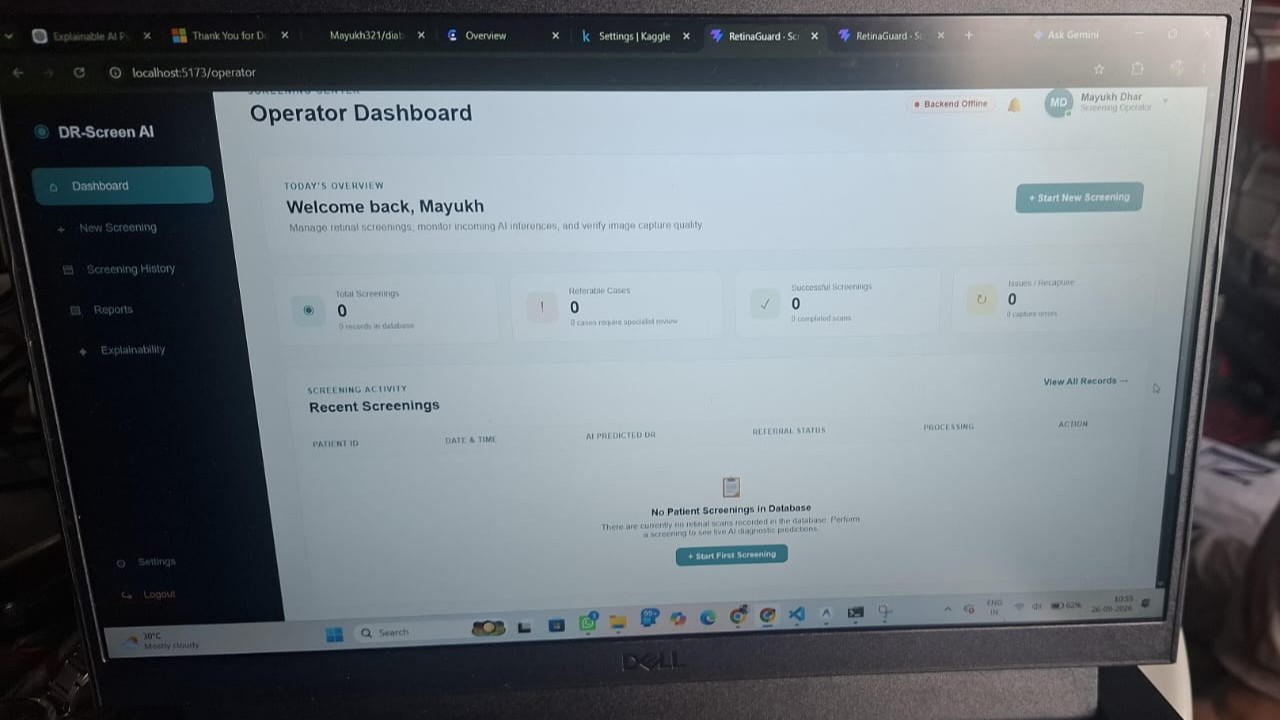
The system allows a screening operator to:
- Register a patient and screening record.
- Upload a retinal fundus photograph.
- Store the uploaded image using cloud image storage.
- Run an ONNX-based machine-learning inference pipeline.
- Classify the retinal image into a diabetic-retinopathy severity grade from **Grade 0 to Grade 4**.
- Obtain a model confidence value for the predicted grade.
- Mark higher-grade cases as requiring specialist referral.
- Track screening status and screening history.
- Present the AI result to a doctor through a clinical review queue.
- Allow a doctor to review the AI evidence, enter clinical findings and recommendations, and certify the final report.
This creates a bridge between **automated image screening** and **human clinical validation**, rather than treating the machine-learning prediction as a final diagnosis.
---
## 3. Core Problem Being Addressed
The central problem can be stated as:
> **How can retinal fundus images from diabetic patients be processed through a structured, AI-assisted screening workflow that helps identify possible diabetic retinopathy cases and routes them to appropriate clinical review?**
The repository addresses this by combining:
**Patient & Screening Data → Fundus Image Upload → AI Inference → DR Severity Grade → Referral Flag → Doctor Review → Clinical Report**
---
## 4. Why an AI-Assisted Screening Workflow?
Manual retinal screening requires trained clinical professionals to inspect fundus photographs individually. As screening volumes increase, this can create a workload that is difficult to scale, particularly in workflows where specialist review is limited.
An automated screening model can act as a **first-level screening aid** by processing retinal images and identifying the predicted DR severity.
The purpose of this system is therefore not to replace an ophthalmologist. Instead, the AI component can help organize the screening process and identify cases that require further attention.
The repository reflects this distinction through a separate **operator workflow** and **doctor review workflow**.
---
## 5. How the Repository Addresses the Problem
### 5.1 Retinal Image Acquisition
The screening interface accepts retinal fundus photographs in:
- JPEG
- PNG
- WEBP
The backend restricts uploads to a maximum size of 10 MB.
Patient information such as patient ID, name, age, gender, and technician/operator information is associated with the screening record.
### 5.2 Image Storage
Uploaded retinal images are sent to Cloudinary and the resulting image URL is stored with the screening record.
This separates image storage from the application server and allows the screening record to reference the stored fundus image.
### 5.3 AI-Based DR Classification
The repository contains an ONNX inference pipeline.
The image is:
1. Loaded from its stored URL or local path.
2. Converted to RGB.
3. Resized to **224 × 224 pixels**.
4. Normalized to the **0–1** range.
5. Converted into the tensor layout required by the model.
6. Passed to the ONNX Runtime inference session.
7. Classified using the model output.
The predicted class is selected using the highest model output, producing a DR grade from **0 through 4** along with a confidence value.
### 5.4 Screening and Referral Workflow
The backend maps the AI result into a screening record and marks cases with **Grade 2 or above** as referable.
This provides a simple triage mechanism:
- **Grade 0–1:** lower-severity screening result.
- **Grade 2–4:** referable screening result requiring specialist attention.
The referral flag is intended as a screening workflow mechanism and should not be interpreted as an independent medical diagnosis.
### 5.5 Doctor Review
Cases can be presented through a doctor review queue.
A doctor can inspect the available AI result and retinal evidence, record whether they agree with or reclassify the AI result, add clinical recommendations, and sign/certify the report.
This introduces a **human-in-the-loop** stage between automated screening and the final clinical report.
---
## 6. Explainability and AI Evidence
The application includes an explainability interface based around the concept of **Grad-CAM**, showing attention heatmaps and clinical interpretation panels.
The purpose of this part of the application is to make AI-assisted screening easier to inspect rather than presenting only a numerical prediction.
The current repository should be understood carefully here: the ONNX inference worker itself currently returns the predicted grade and confidence. The Grad-CAM and lesion-annotation experiences present in the frontend are not currently generated by that worker as a live Grad-CAM computation.
Therefore, the explainability interface represents the intended **explainable-AI screening experience**, while the production implementation of model-generated Grad-CAM attribution remains an area for further integration.
---
## 7. Users and Their Roles
### Screening Operator
The operator is responsible for the initial screening workflow:
- Registering patient information.
- Uploading the retinal photograph.
- Initiating AI processing.
- Viewing screening results.
- Managing screening history and reports.
### Ophthalmologist / Doctor
The doctor provides clinical validation:
- Reviews AI-generated screening results.
- Examines the available retinal evidence.
- Agrees with or reclassifies the AI result.
- Adds clinical recommendations.
- Certifies the final report.
This separation helps establish a workflow where AI functions as a **screening assistant**, while clinical responsibility remains with the qualified healthcare professional.
---
## 8. Expected Impact
If fully integrated and clinically validated, a system following this workflow could help screening programs:
- Process large numbers of retinal photographs in a structured manner.
- Provide consistent preliminary DR severity classification.
- Identify cases that may require specialist attention.
- Organize screening records and results.
- Reduce unnecessary manual review of lower-risk screening cases.
- Provide clinicians with an AI-assisted starting point for case review.
The system is therefore aimed at improving the **organization, scalability, and efficiency of diabetic retinopathy screening**, rather than replacing clinical diagnosis.
---
## 9. Scope and Limitations
RetinaGuard is an **AI-assisted screening prototype**, not a standalone medical diagnostic system.
Important current limitations include:
- The actual clinical performance of the included ONNX model depends on the model's training data, validation, and calibration.
- The repository does not by itself establish clinical safety or diagnostic accuracy.
- The AI worker currently produces a severity grade and confidence value rather than a complete lesion-detection report.
- The frontend's Grad-CAM/lesion visualization is not currently connected to live Grad-CAM output from the ONNX inference worker.
- Authentication and authorization require further server-side hardening before real patient data should be exposed in production.
- The repository should not be deployed for real clinical use without appropriate medical validation, security controls, privacy protections, and regulatory review.
---
## 10. One-Line Problem Definition
> **RetinaGuard addresses the challenge of scalable diabetic retinopathy screening by providing an AI-assisted workflow that analyzes retinal fundus photographs, classifies the predicted severity of diabetic retinopathy, identifies cases for potential specialist referral, and routes the results to a clinician for human review and certification.**
"""